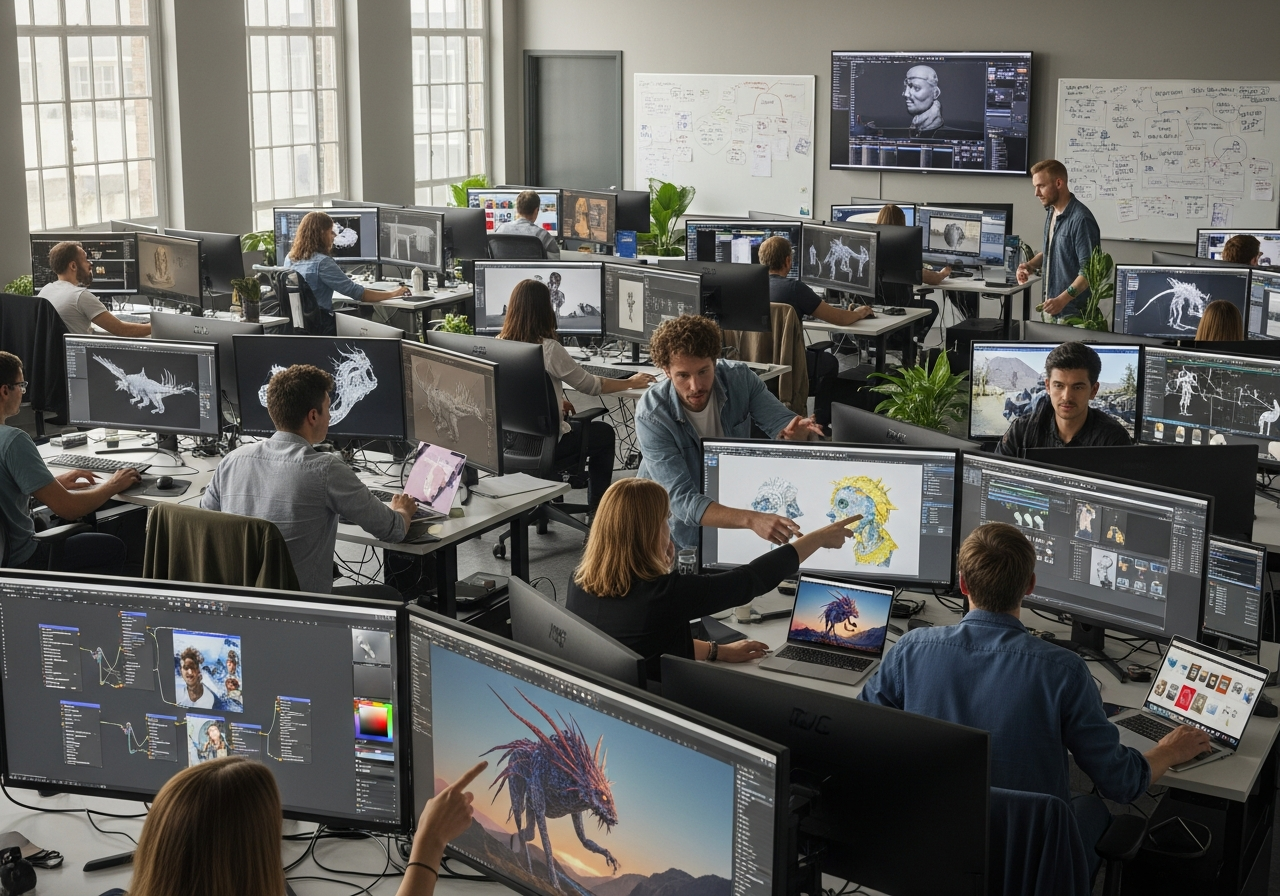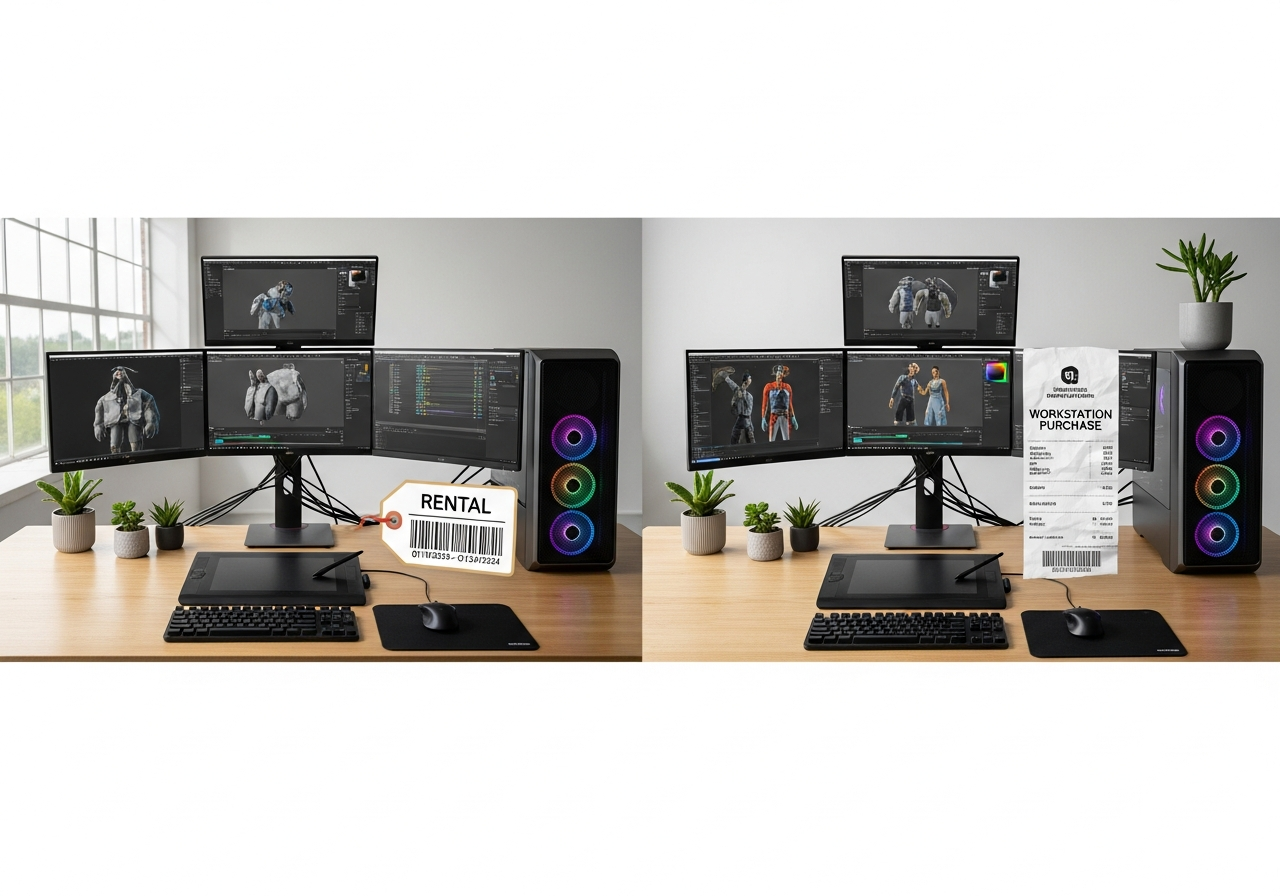
Calgary’s 3D animation students face a critical hardware decision that can make or break their learning experience and budget. Whether you’re enrolled in SAIT’s Digital Media and IT program, attending a private animation bootcamp, or pursuing self-directed learning, the choice between renting high-performance workstations or buying your own equipment directly impacts both your immediate cash flow and long-term educational investment. Course durations in Calgary range from intensive 12-week programs to multi-year diplomas, creating vastly different hardware utilization patterns that favor different financial approaches.
The core decision isn’t simply about upfront affordability—it’s about total cost of ownership over your entire learning journey. A $3,000 workstation purchase might seem expensive compared to a $200 monthly rental, but the math changes dramatically when you factor in course duration, resale value, maintenance costs, and your post-graduation hardware needs. We’ll break down real Calgary student scenarios, from short-term project work to full program enrollment, showing exactly when renting saves money and when buying becomes the smarter long-term investment.
What Calgary 3D animation students actually need from hardware
Calgary’s 3D animation programs demand hardware that can handle intensive modeling in Maya or Blender, detailed sculpting in ZBrush, real-time animation playback, and hours-long rendering sessions. Students typically work with complex character rigs, particle systems, and high-resolution textures that push even modern hardware to its limits. Unlike general computer use, 3D animation creates sustained, heavy workloads that expose hardware weaknesses quickly—making the choice between rental and purchase even more critical for performance reliability.
Hardware requirements fall into three distinct tiers based on course intensity and career goals. Minimum specs might suffice for basic modeling exercises, but struggle with advanced rendering projects that are common in Calgary’s competitive animation programs. Recommended specifications provide smooth workflow for most coursework, while future-proof builds ensure your hardware remains capable as you progress through increasingly demanding projects and potentially into professional freelance work.
The performance gap between these tiers becomes obvious during rendering, where a minimum-spec machine might take 8 hours to render what a high-end workstation completes in 2 hours. This time difference isn’t just about convenience—it directly affects your ability to iterate on projects, meet deadlines, and maintain the work-life balance that’s crucial for sustained learning success in Calgary’s intensive animation programs.
Core hardware components that drive performance
Understanding which components most impact 3D animation performance helps you prioritize your rental or purchase budget effectively. Each component serves specific functions in the 3D pipeline, from initial modeling through final rendering, and bottlenecks in any area can slow your entire workflow.
- CPU (Processor): Drives viewport performance, handles complex simulations, and powers CPU-based rendering engines—look for 8+ cores for serious animation work
- GPU (Graphics Card): Enables smooth real-time viewport navigation, accelerates GPU rendering, and supports advanced shading previews—VRAM capacity matters more than raw speed
- RAM (Memory): Holds complex scenes in memory for instant access—16GB minimum, but 32GB+ prevents slowdowns with detailed models and high-resolution textures
- Storage: SSD storage dramatically improves scene loading times and texture streaming—hybrid setups with SSD for active projects and HDD for archives work well
- Cooling system: Maintains consistent performance during long rendering sessions—inadequate cooling leads to thermal throttling and project delays
- Display quality: Color-accurate monitors ensure your lighting and texturing work translates properly to final output—IPS panels with good color gamut are essential
- Workstation reliability: Professional-grade components and power supplies reduce crash risk during critical project phases—especially important for deadline-driven coursework
Why course format changes the hardware decision
Short-term bootcamps and intensive workshops create different hardware economics compared to semester-based programs or multi-year diplomas. A 12-week intensive program might justify premium hardware rentals, since you’re using the equipment heavily for a defined period before returning it without depreciation concerns. The high utilization rate during bootcamps often makes rental costs feel worthwhile, especially when you factor in the latest hardware access without long-term commitment.
Semester and multi-year programs shift the economics toward ownership, since extended use periods make purchase depreciation more acceptable relative to accumulated rental costs. Students in SAIT’s two-year programs, for example, benefit from hardware familiarity that comes with ownership, plus the ability to work on personal projects during breaks without additional rental fees. The hardware becomes a learning tool that’s available 24/7, enabling the extra practice hours that separate successful students from those who struggle.
Course intensity also determines whether you can accept the minor inconveniences of rental hardware, such as standardized configurations that might not match your preferred workflow setup. High-pressure programs with tight deadlines favor the reliability and customization that comes with owned hardware, while more relaxed learning environments can accommodate the occasional rental logistics challenges.
Rental versus purchase: the direct cost breakdown
Understanding the true cost comparison between renting and buying requires looking beyond monthly payments to examine the complete financial picture over your course duration. Initial costs tell only part of the story, while recurring expenses, hidden fees, and end-of-term considerations dramatically affect your total investment.
The following breakdown reveals how various cost factors impact Calgary students differently based on their specific situations and course requirements. Notice how the “best for” scenarios depend heavily on usage intensity and course duration, making this decision highly individual rather than universally favoring one approach.
| Cost factor | Renting | Buying | Best for |
|---|---|---|---|
| Upfront cost | $200-400 first month + deposit | $2,500-5,000+ full payment | Students with limited savings |
| Monthly recurring | $200-600/month ongoing | $0 after purchase | Long-term students |
| Maintenance costs | Included in rental fee | $100-300/year potential | Risk-averse students |
| Insurance/protection | $20-50/month optional | Homeowner’s/renter’s policy | Varies by living situation |
| End-of-term value | $0 – return equipment | 40-60% resale after 1-2 years | Students planning career use |
| Upgrade flexibility | Easy upgrade/downgrade | Expensive component upgrades | Uncertain future needs |
| Tax implications | Monthly expense deduction | Depreciation over years | Students with business income |
Hidden costs often tip the scales in unexpected directions. Rental companies may charge delivery fees ($50-100 in Calgary), require damage deposits (typically one month’s rent), or add fees for late returns that can quickly accumulate during stressful final project periods. Purchase scenarios include GST on the full amount upfront, potential shipping costs for online orders, and the time cost of researching, purchasing, and setting up your system.
How to calculate total cost of ownership
A simple formula helps clarify the true cost comparison: Total Cost = (Monthly rental × Duration) versus (Purchase price – Expected resale value + Maintenance costs). This calculation reveals the break-even point where purchasing becomes more economical than renting, typically occurring around 8-12 months for most Calgary student scenarios.
For example, a $3,500 workstation rented at $300/month breaks even at 12 months if you can resale for $2,000 after one year. The calculation: $300 × 12 = $3,600 rental cost versus $3,500 – $2,000 = $1,500 net purchase cost. Factor in $200 annual maintenance, and buying costs $1,700 versus $3,600 for renting—a significant $1,900 difference favoring purchase for year-long courses.
However, this math assumes you can handle the upfront cash flow impact and will actually resell the equipment when your course ends. Students who struggle with either assumption often find rental more practical despite the higher total cost. The formula also doesn’t account for convenience factors, such as technical support included with rentals or the peace of mind from warranty coverage.
Calgary students should also factor in their post-graduation plans when calculating total cost of ownership. If you’re likely to continue using professional-grade hardware for portfolio development or freelance work, the ownership timeline extends beyond your course duration, making purchase economics even more favorable. Conversely, students planning to pivot away from 3D animation shouldn’t include post-graduation value in their calculations.
When renting hardware makes more financial sense
Rental arrangements excel in specific scenarios common among Calgary animation students, particularly those facing cash flow constraints or uncertain hardware requirements. Short course durations, experimental learning approaches, and rapidly evolving software requirements create situations where rental flexibility outweighs the higher per-month costs.
The lower financial barrier makes rental attractive for students already stretched by tuition, living expenses, and other course materials. Rather than depleting savings or taking loans for hardware, rental spreads the cost across your learning timeline, preserving capital for unexpected opportunities like additional training, conference attendance, or portfolio development services that arise during your studies.
- Cash flow preservation: Maintains financial flexibility for unexpected course expenses or opportunities without large upfront hardware investment
- Latest technology access: Provides access to current-generation hardware without worrying about obsolescence during rapidly evolving animation industry standards
- Risk mitigation: Eliminates concerns about hardware failure, theft, or damage that could derail your studies at critical moments
- Course completion uncertainty: Protects against financial loss if you need to change programs, take medical leave, or adjust your educational timeline unexpectedly
- Simplified logistics: Removes the complexity of researching, purchasing, configuring, and maintaining professional workstations while focusing on demanding coursework
- Professional support inclusion: Typically includes technical support and replacement services that prevent hardware issues from impacting project deadlines
Best rental scenarios for 3D animation learners
Project-based learning environments favor rental since you can scale hardware power to match specific assignment requirements. Complex rendering projects might justify high-end workstation rentals for 2-3 weeks, while basic modeling exercises work fine with standard configurations, allowing you to optimize costs throughout your program.
- Trial periods: Test different hardware configurations to determine your preferred setup before committing to a major purchase
- Intensive workshops: Access premium hardware for short-duration, high-intensity learning experiences without long-term financial commitment
- Emergency situations: Quickly replace failed personal hardware during critical project phases without missing deadlines
- Collaborative projects: Rent additional workstations temporarily when group projects require multiple high-performance systems
- Software-specific needs: Access specialized configurations optimized for particular animation software without permanent investment
- Seasonal learning: Support summer intensives or part-time evening programs that don’t justify year-round hardware ownership
Rental drawbacks students should factor in
Deposit requirements can strain student budgets just as much as purchase down payments, particularly when rental companies require first month, last month, and damage deposit simultaneously. Calgary rental markets often require $600-1,200 upfront for workstation-class hardware, reducing the cash flow advantage that makes rental initially attractive.
Limited customization options conflict with the personalized workflow development that’s crucial for animation skill building. Rental hardware typically comes with standardized configurations, generic peripherals, and locked-down software installations that prevent you from optimizing your setup for maximum productivity. This standardization can slow your learning progress compared to owned hardware configured specifically for your working style.
Geographic limitations also affect Calgary students, as local rental inventory may not include the latest hardware or specialized configurations needed for advanced coursework. Popular rental periods, such as fall semester starts, can create availability shortages that force you into suboptimal hardware choices or delayed course starts that impact your educational timeline.
When buying hardware becomes the better investment
Purchase decisions become financially advantageous when usage intensity, duration, and post-graduation plans align to maximize the value extracted from owned hardware. Frequent daily use, extended learning timelines, and career-oriented goals create scenarios where ownership costs per hour drop below rental alternatives while providing additional benefits that rentals cannot match.
Long-term ownership enables workflow customization, software experimentation, and personal project development that accelerate skill acquisition beyond what’s possible with standardized rental configurations. The ability to install preferred software, optimize system settings, and maintain consistent hardware familiarity creates learning advantages that often justify higher total costs for serious students.
| Buying advantage | Buying drawback | Impact on students |
|---|---|---|
| Complete customization freedom | Full responsibility for configuration | Faster workflow development but steeper learning curve |
| 24/7 availability for personal projects | Sole liability for repairs and downtime | Enhanced portfolio development opportunities |
| Resale value retention | Technology depreciation risk | Partial cost recovery if timing is good |
| Lower per-hour cost with heavy use | High upfront capital requirement | Best for well-funded, committed students |
| No monthly payment pressure | Difficult to upgrade incrementally | Financial peace of mind vs. flexibility trade-off |
| Unlimited software installation | License management complexity | Broader learning opportunities with more tools |
| Tax benefits for business use | Depreciation schedule limitations | Relevant for freelance-oriented students |
| Pride of ownership motivation | Emotional attachment to depreciating assets | Psychological benefits vary by individual |
The depreciation concern deserves particular attention in Calgary’s market, where rapid hardware evolution can quickly reduce resale values. However, professional workstations tend to hold value better than consumer hardware, and the Calgary animation community provides a ready market for used equipment when students graduate and upgrade to employer-provided systems.
Ownership scenarios that justify higher upfront spend
Multi-term study programs create the clearest justification for hardware purchase, since 18-24 month educational timelines allow you to amortize purchase costs across extended usage periods. Students in programs like SAIT’s Digital Media and IT diploma benefit from hardware familiarity that develops over multiple semesters, creating workflow efficiency that directly improves project quality and completion speed.
Daily usage scenarios also favor ownership, particularly when you’re working on personal projects alongside coursework. The ability to render overnight, experiment with different software packages, and maintain work-in-progress files locally creates learning opportunities that justify ownership premiums. Students who treat their education as career preparation rather than academic requirement typically benefit from owned hardware that supports intensive practice schedules.
Post-graduation planning significantly impacts ownership economics for Calgary students entering the competitive animation industry. If you’re likely to freelance, work remotely, or start your own studio, owned hardware becomes a business asset that continues generating value beyond your educational investment. The transition from student to professional becomes smoother when you’re already familiar with your tools and aren’t facing immediate hardware acquisition costs while establishing your career.
Geographic factors also influence ownership decisions for Calgary students, particularly those in surrounding areas like Airdrie, Okotoks, or Cochrane. Commuting to rental pickup locations, dealing with delivery logistics, and managing return schedules can create time costs that make ownership more attractive even when rental might appear cheaper on paper. Rural students often find ownership essential for reliable access to professional hardware.
Calgary-specific cost factors that change the equation
Calgary’s unique market conditions, tax environment, and geographic characteristics create cost considerations that don’t apply to students in other cities. Local hardware availability, service quality, and pricing structures can significantly impact the total cost comparison between rental and purchase options.
The city’s strong energy sector economy influences both retail pricing and rental availability, while provincial tax rates and warranty policies affect the total cost of ownership calculations. Understanding these Calgary-specific factors helps students make more accurate financial projections when choosing between rental and purchase strategies.
| Factor | Rental impact | Purchase impact | Notes |
|---|---|---|---|
| 5% GST rate | Applied to monthly rentals | Applied to full purchase price | No provincial sales tax advantage |
| Local service availability | Limited repair options | Multiple service centers available | Ownership offers more repair choices |
| Seasonal demand variations | Higher rates September-December | Stable pricing year-round | Academic calendar affects rental costs |
| Transportation costs | Delivery fees $50-100 | One-time pickup/shipping cost | Rural students pay more for rental delivery |
| Resale market strength | Not applicable | Strong local demand for used equipment | Animation community supports resale values |
| Warranty coverage | Included in rental terms | Standard manufacturer warranties apply | Extended warranty options available locally |
Local availability and convenience considerations
Calgary’s hardware rental market primarily serves corporate clients, creating limited inventory specifically configured for 3D animation workloads. Student-friendly rental terms, such as month-to-month agreements and reasonable damage policies, are less common than in larger markets like Toronto or Vancouver. This limitation often forces students into business-oriented rental agreements with higher costs and less flexible terms.
Delivery logistics present particular challenges for students living in residence halls, shared accommodations, or suburban areas without reliable reception services. Rental companies typically require signature confirmation and may charge additional fees for evening or weekend delivery, creating scheduling conflicts with class attendance. Return logistics can be equally problematic, especially during finals periods when students are focused on project completion rather than equipment coordination.
Local technical support quality varies significantly between rental and purchase options in Calgary. Purchased hardware benefits from manufacturer warranties plus local service centers from major retailers, while rental equipment typically relies on the rental company’s internal support structure. Students facing tight project deadlines often prefer the multiple support options available with owned equipment rather than depending on a single rental company’s service quality.
How taxes, warranties, and resale affect cost
Calgary students benefit from Alberta’s single 5% GST rate, avoiding the provincial sales tax that increases hardware costs in most other provinces. This tax advantage applies equally to rentals and purchases, but the timing difference can impact student cash flow—rental GST spreads across monthly payments, while purchase GST requires immediate payment on the full amount.
- Calculate GST impact: Add 5% to all hardware costs for accurate budget planning, whether renting at $300/month ($315 with GST) or purchasing at $3,000 ($3,150 with GST)
- Research warranty options: Compare manufacturer warranties (typically 1-3 years) with extended protection plans available from Calgary retailers, considering your risk tolerance and usage intensity
- Time resale strategically: Plan equipment sales for late spring/early summer when incoming students are purchasing hardware, avoiding the winter months when demand drops
- Document purchase details: Keep receipts, warranty information, and original packaging to maximize resale value and ensure warranty coverage throughout your ownership period
- Consider protection plans: Evaluate whether extended warranties or accidental damage coverage justify their cost based on your usage patterns and living situation
Recommended hardware purchase tiers for 3D animation courses
Calgary animation students should consider three distinct hardware tiers based on their program intensity, budget constraints, and career goals. Each tier represents a different balance between initial investment, performance capability, and longevity, helping students match their hardware choice to their specific educational and financial circumstances.
These tiers assume current market pricing in Calgary and focus on workstation-class reliability rather than gaming-oriented hardware that may lack the stability needed for professional animation workflows. The specifications prioritize components that most impact 3D animation performance while maintaining reasonable upgrade paths as student needs evolve.
- Entry-level workstation ($2,500-3,500): Handles basic modeling, simple animations, and short rendering projects—suitable for introductory courses and students testing their interest in 3D animation
- Professional student setup ($4,000-6,000): Supports complex scenes, real-time playback, and overnight rendering—ideal for serious students in multi-semester programs planning animation careers
- Future-proof investment ($6,500-9,000): Enables advanced simulations, 4K rendering, and professional workflows—appropriate for students planning immediate post-graduation freelancing or studio work
- High-end production system ($9,500-15,000): Matches industry-standard workstations with redundancy features—justifiable for students already earning income from animation work during their studies
Minimum viable specs versus ideal specs
Understanding the performance impact of different component choices helps students prioritize their budget allocation and identify acceptable compromises. The “why it matters” explanations connect technical specifications to real-world animation workflow impacts that students will experience daily.
| Component | Minimum | Recommended | Why it matters |
|---|---|---|---|
| CPU | 6-core Intel i5/AMD Ryzen 5 | 8-core Intel i7/AMD Ryzen 7 | More cores dramatically reduce rendering times and improve multitasking |
| GPU | GTX 1660 Ti (6GB VRAM) | RTX 3070/4060 Ti (8GB+ VRAM) | VRAM capacity determines scene complexity limits; ray tracing accelerates modern workflows |
| RAM | 16GB DDR4 | 32GB DDR4/DDR5 | Insufficient RAM causes scene swapping to disk, creating severe performance bottlenecks |
| Storage | 500GB NVMe SSD | 1TB NVMe + 2TB HDD | SSD speeds improve scene loading; large capacity needed for texture libraries and renders |
| Display | 1080p IPS monitor | 1440p IPS with 95%+ sRGB | Color accuracy affects lighting decisions; resolution impacts detail visibility during modeling |
| Power supply | 650W 80+ Bronze | 750W 80+ Gold modular | Inadequate power causes instability during rendering; efficiency reduces operating costs |
| Cooling | Stock CPU cooler + case fans | Aftermarket CPU cooler + optimized airflow | Better cooling prevents thermal throttling during long renders and reduces noise levels |
Decision framework: rent or buy for your situation
The rental versus purchase decision ultimately depends on your specific combination of financial resources, course timeline, and career objectives. Students with sufficient savings and clear animation career goals typically benefit from purchasing hardware that will serve them through graduation and into professional work. Conversely, students testing their interest in animation or facing cash flow constraints often find rental more appropriate despite higher total costs.
A practical decision framework starts with your course duration and intensity, then factors in your available capital and post-graduation plans. Students in programs shorter than 8 months generally favor rental, while those in longer programs should seriously consider purchase options. The decision becomes more complex when personal financial circumstances, living situations, and technical comfort levels enter the equation.
Consider creating a simple cost model using your specific course timeline and local Calgary pricing to quantify the financial difference between options. However, don’t ignore qualitative factors like convenience, technical support preferences, and the learning benefits of owning customizable hardware that matches your developing workflow preferences.
Questions to ask before you commit
Working through these decision criteria helps clarify which option aligns better with your specific circumstances and educational goals. Consider each question carefully, as your answers will reveal whether rental flexibility or ownership benefits matter more for your situation.
- How long is your program duration? Calculate whether 8+ month programs justify purchase costs or if shorter durations favor rental flexibility
- What’s your realistic daily usage pattern? Assess whether you’ll use the hardware primarily for coursework or also for personal projects and portfolio development
- How comfortable are you with hardware troubleshooting? Determine if you prefer rental company support or want control over maintenance and customization decisions
- What are your post-graduation career plans? Consider whether you’ll continue needing professional hardware or transition to employer-provided equipment
- Can you handle the upfront purchase cost without compromising other aspects of your education? Ensure hardware costs don’t prevent you from taking advantage of educational opportunities
- How important is having the latest technology? Decide whether hardware currency matters enough to justify rental premiums for newer equipment
- What’s your living situation stability? Factor in whether you’ll need to move rental equipment or if owned hardware storage presents challenges
A simple rule of thumb for students
For most Calgary animation students, the decision reduces to a simple guideline: rent for programs under 8 months or when upfront costs would strain your educational budget, and buy for longer programs when you can afford the initial investment without sacrificing other learning opportunities. This rule works because it captures the primary economic factors while allowing for individual circumstance adjustments.
The 8-month breakeven point assumes typical Calgary rental rates and reasonable resale value retention, but students should verify this threshold using their specific program costs and hardware requirements. When the decision feels close, rental often proves the safer choice since it preserves financial flexibility during the uncertain early stages of animation education, when program changes, additional training opportunities, or career pivots remain possible.